
Campaign intelligence
Attribution & Reporting
A clear snapshot. A deeper explanation. A smarter next campaign.
Know what your campaign generated, which channels contributed and where to improve. Dealerwing combines comprehensive KPIs with granular reporting across audiences, offers and the entire FlightPath campaign.
Reporting included in every campaign
The overview you need. The depth you want.
Leadership gets the vital information at a glance. Teams that want to dig deeper can follow performance into specific channels, customer segments, specialty audiences and offers. Every campaign includes performance reporting, and every report has a downloadable version.
Meaningful KPIs
Communications, matched ROs, revenue, appointments and sales—not just clicks and sends.
Granular visibility
Understand the channel, audience and offer behind the campaign’s performance.
AI-powered insight
Optimization suggestions and additional opportunities rooted in campaign data.
Reporting you can share
Download reports for leadership reviews and campaign planning.
Accountability before attribution
We do not take credit for every customer who comes through the door.
A customer visiting after a campaign is not, by itself, evidence that the campaign brought them in. Dealerwing integrates analytics into each channel of its FlightPath omnichannel approach to connect campaign response, appointments and matched dealership activity.
That distinction matters. Accurate attribution gives you a more credible foundation for evaluating channels, audiences and offers—and optimizing toward your dealership’s goals instead of an inflated result.
Understand what contributed. Identify what needs work. Make the next campaign more informed.
Inside the reporting platform
From the big picture to the reasons behind it.
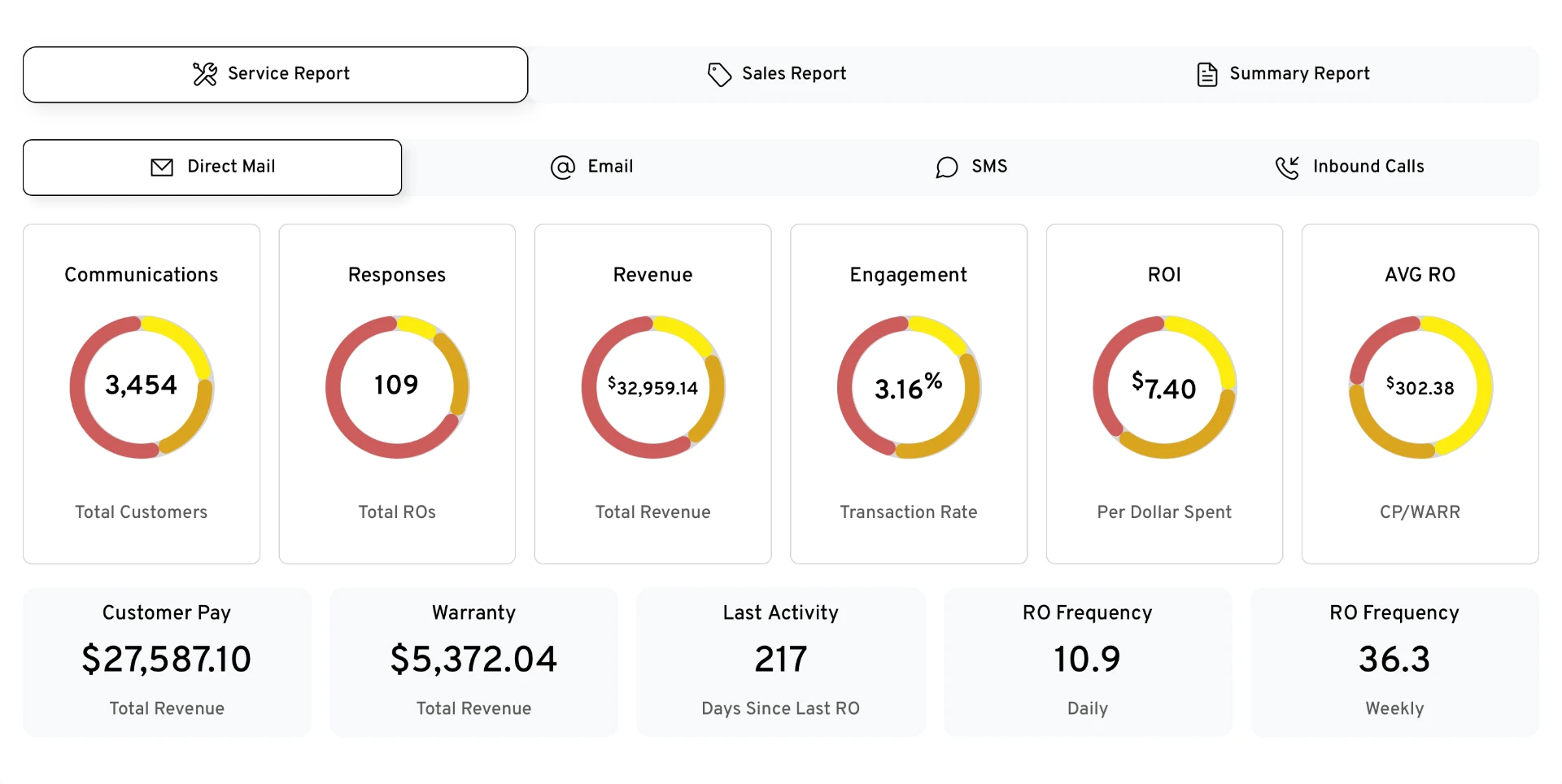
Campaign overviews bring Service, Sales and Summary reporting together—with a clear view of each channel’s contribution.
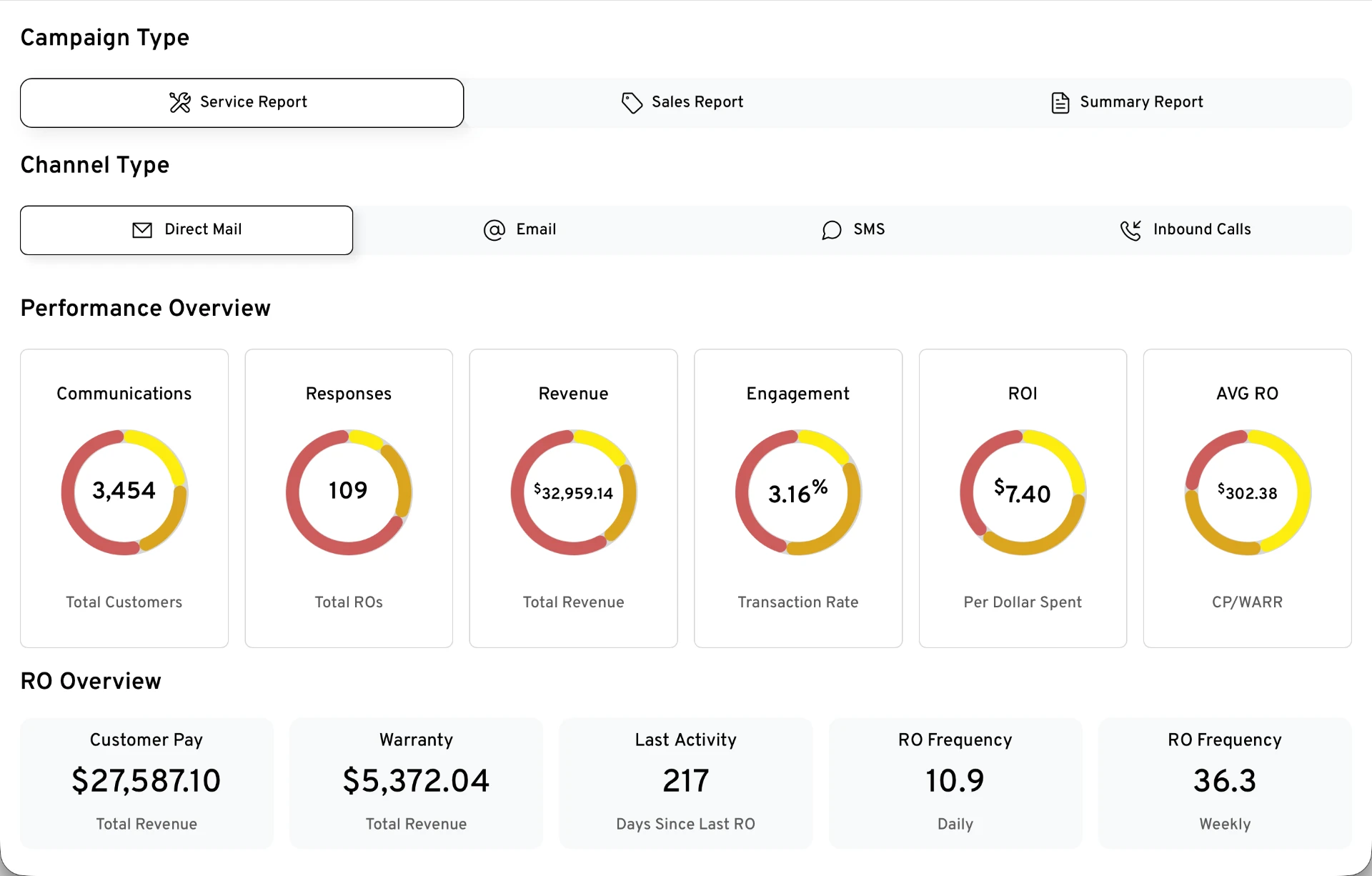
Supplied sample reports, not live dealership results. Screenshots retain their original displayed metrics; they are not a reconciled financial statement. Customer identities in the call sample are masked.
Detailed reports
Go as deep as the repair order itself.
Beyond the overview, every campaign includes seven detailed reports — from the map of responding customers to the individual repair orders you can validate against your DMS.
See exactly where your traffic comes from.
Every customer who responded to the campaign is plotted on the map. Select any dot to see the customer and the repair order they generated — and with ZIP Code targeting, verify the results land in the areas you are trying to reach.
Illustrative sample report with fictional customers, advisors and dealership details. Figures are not live dealership results or a promise of performance.
From reporting to improvement
Measure. Understand. Optimize.
A report should do more than document what happened. Channel performance, audience response, offers and advisor outcomes help pinpoint the next opportunity. CruiseCTRLAI brings those signals together to suggest improvements and uncover additional potential in your campaign or customer data.
Know where the campaign is working
Review actual channel contributions and matched dealership outcomes.
Know where the experience breaks down
Use call outcomes and sentiment to separate marketing response from advisor follow-through.
Know what deserves attention next
Use AI recommendations to inform—not replace—your dealership’s goals and campaign decisions.
FAQ
Common reporting questions
Is performance reporting included in every campaign?
Yes. Every Dealerwing campaign includes performance reporting, and every report has a downloadable version for leadership reviews and campaign planning.
Does Dealerwing take credit for every customer?
No. Dealerwing does not claim every customer who visits after a campaign. Analytics integrated across FlightPath channels connect campaign response, appointments and matched dealership activity to provide more accountable attribution.
Which overview reports are available?
The platform includes Service, Sales and Summary reports. Service overviews cover Direct Mail, Email, SMS and Inbound Calls. KPIs are broken out by targeted campaign segments and specialty audiences, with channel-specific measures.
What does inbound call reporting show?
In the live reporting platform, dealers can review campaign calls, AI-analyzed outcomes and customer sentiment, listen to recordings, and connect phone-scheduled appointments to the customer's RO, work performed and service spend. Recordings are not included in this public sample.
How does AI help optimize campaigns?
CruiseCTRLAI analyzes reporting to suggest optimization and identify additional opportunities in the campaign or customer data. Recommendations support decisions about channels, audiences and offers in the context of the dealership's goals.
Are the figures in this walkthrough live results?
No. These are supplied sample reporting screenshots, not live dealership results or a guarantee of performance. The displayed measures are preserved as supplied and are not a reconciled financial statement. Sample creative does not represent current offers.
See the story behind your campaign results.
See how Dealerwing reporting connects campaign activity to dealership outcomes and more informed decisions.